What InVitro does today
Everything on this page is in the current build and tested against real tool-made images. The editions table shows which edition includes what.
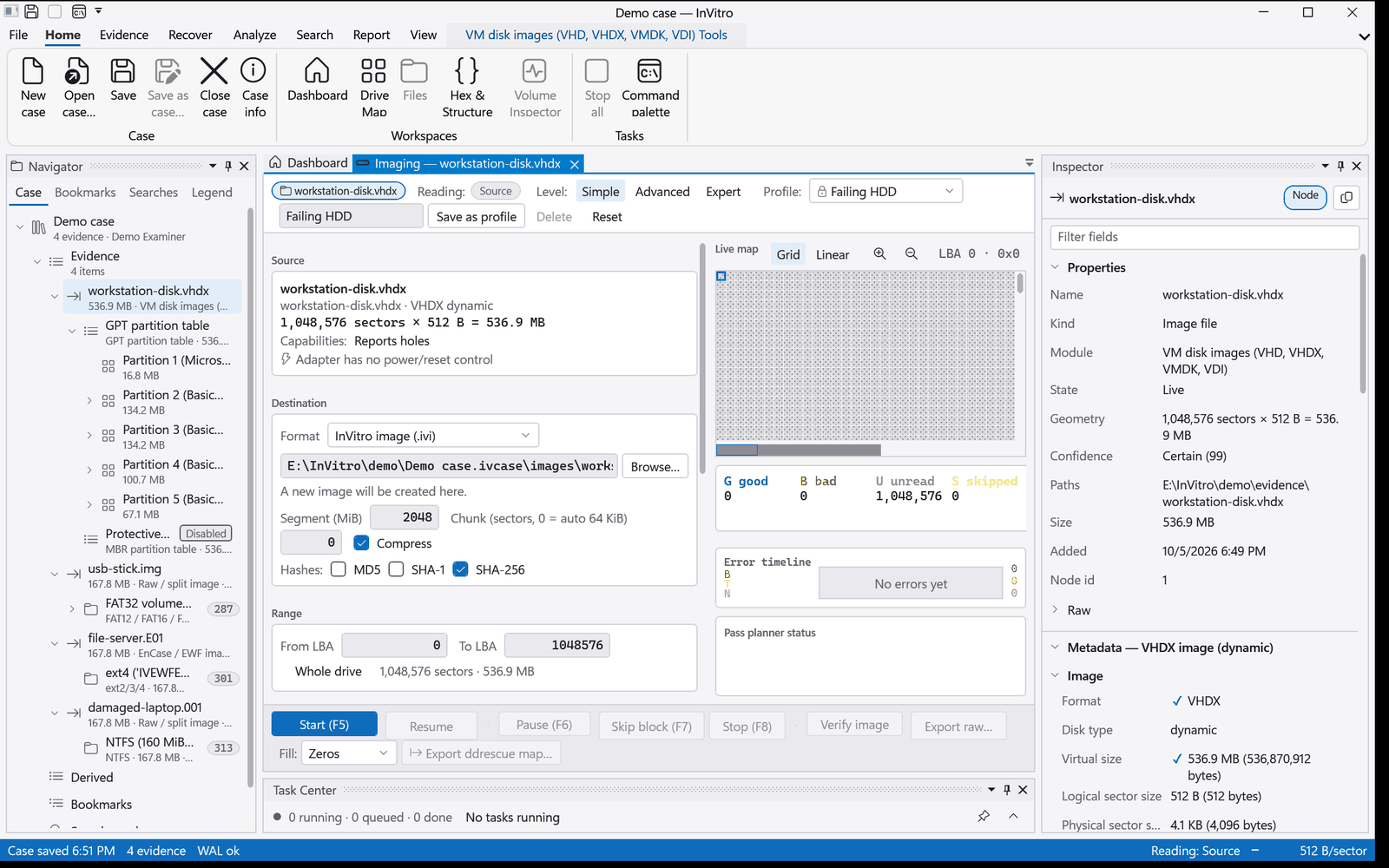
Imaging built for failing drives
- Image physical disks, any partition on them, and USB or flash media to raw (dd) or
.ivi..ivistores the per-sector read map and the hashes with the image. - Multi-pass strategies, block skipping, retries, resume, and a one-click profile for failing drives.
- Drive health before you start: ATA SMART, NVMe health, HPA and DCO hidden sectors. Read-only commands only, through an allowlist.
- Recovery-lab interop: import GNU ddrescue and HDDSuperClone maps, export ddrescue mapfiles.
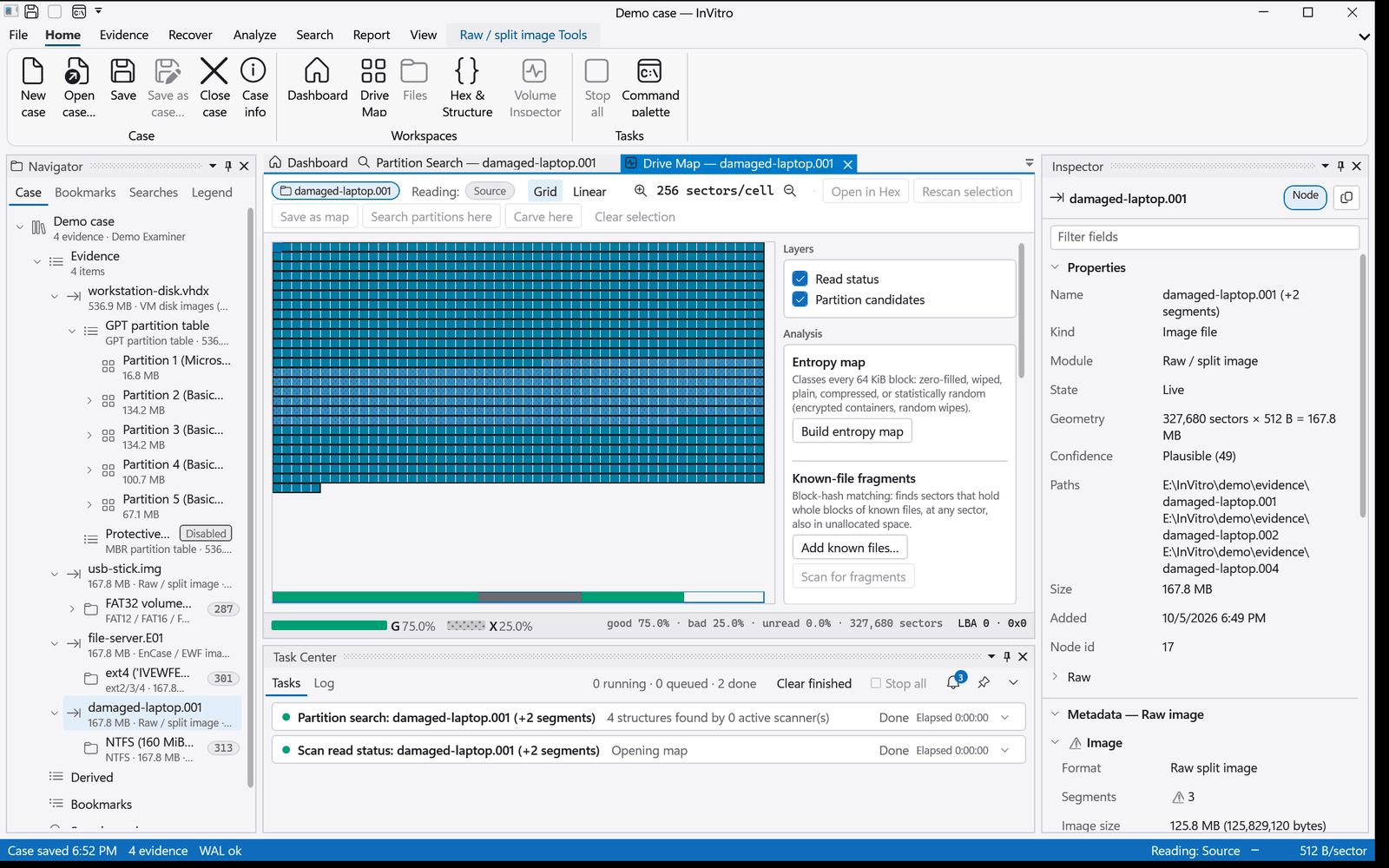
- Optical discs (CD, DVD, BD): every session and track, including tracks missing from the table of contents. Raw CD capture keeps subchannel and C2 error pointers, with multi-pass retries. Exports to CloneCD, cue/bin, ISO and WAV.
- Verify any image against its stored hashes.
Optical acquisition is validated on a simulated drive built from real disc filesystems; see Validation.
Read what the evidence is made of
Filesystems
- NTFS
- FAT12/16/32
- exFAT
- ext2/3/4
- HFS+
- APFS
- XFS
- Btrfs
- ZFS
- F2FS
- UFS1/UFS2
- ReiserFS
- ReFS 3.x
- UBIFS
- JFFS2
- ISO 9660 (Joliet, Rock Ridge)
- UDF
Each filesystem lists folders directly from the volume, so you can browse before the full tree is built. Logical evidence, a folder of files, is supported too.
Image containers
Raw and split raw (a missing segment reads as Unavailable), E01/EWF, AFF4, VHD, VHDX, VMDK, VDI, QCOW2, DMG (unencrypted UDIF), .ivi, and optical images (cue/bin, CloneCD, NRG, ISO).
Partitions and volume managers
MBR, GPT, Linux LVM2, Windows dynamic disks (LDM), BSD disklabels and UBI. Btrfs and ZFS multi-device pools are assembled by their own filesystem modules.
Layers
BitLocker and LUKS1/LUKS2 volumes decrypt to an ordinary drive (Complete edition). Volume Shadow Copies appear as browsable versions of an NTFS volume.
Recover what is there, and only that
- Deleted files shown in place and in a Deleted view, plus lost-and-found and orphans. Where the filesystem's allocation data shows a deleted file's blocks were reused (FAT, HFS+), the file is flagged, not served as good.
- Partition recovery from each filesystem's own metadata. Candidates are validated before you adopt them.
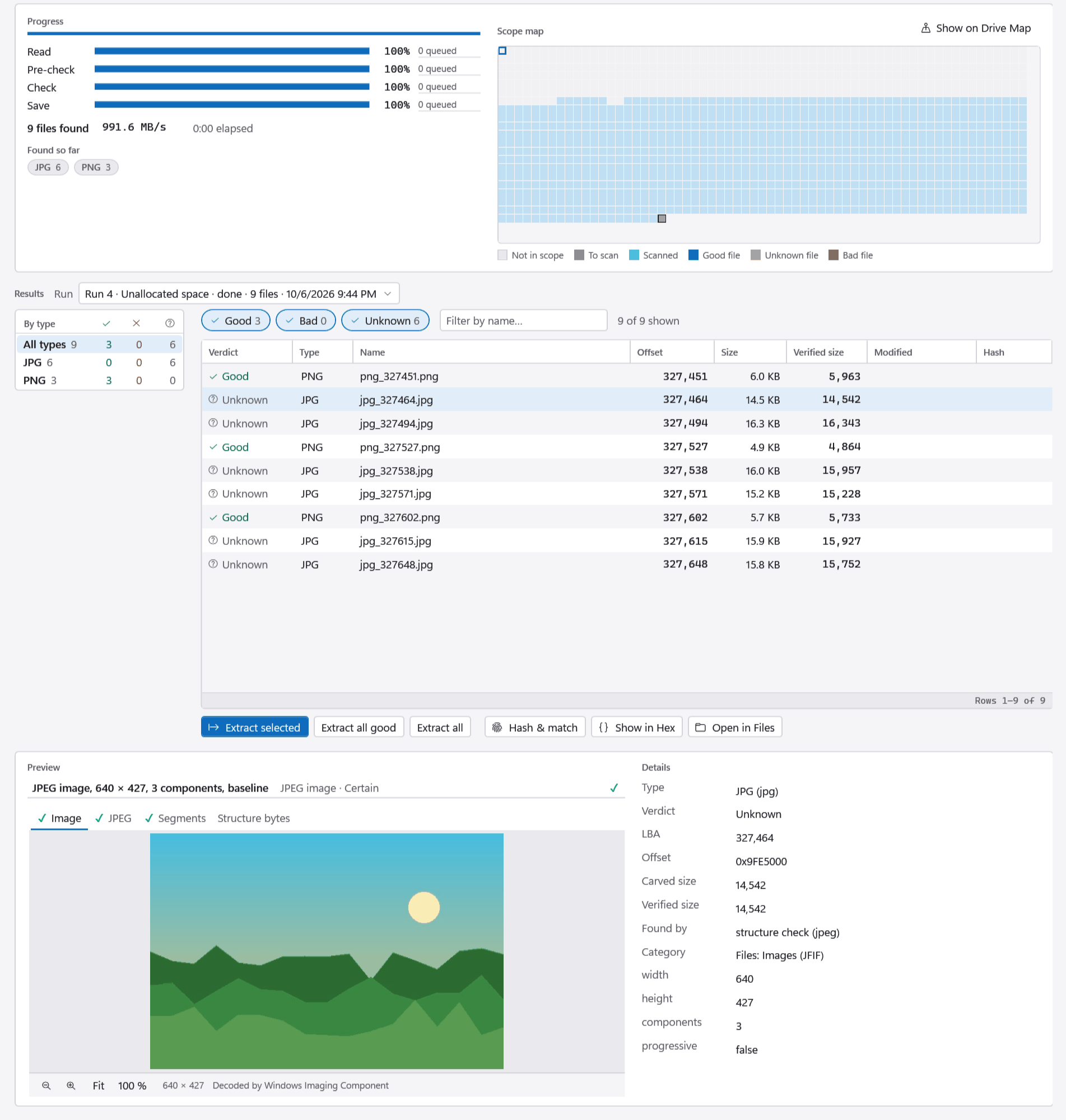
- Signature carving over a node, a region or only the unallocated space, with structure checks and a verdict per file (Good, Bad or Unknown). Carving pauses and resumes, also after a restart.
- Damaged volumes: the metadata copy in use is chosen automatically, the reason is recorded, and you can switch it.
- Data checksums are verified on read for Btrfs, ZFS and ReFS. Compressed streams that fail to decode are flagged, never zero-filled.
- Export recovered files with a manifest.
From triage to timeline
Hashing and search
MD5, SHA-1, SHA-256, ssdeep and TLSH. Hash sets, including NSRL and VICS import. Keyword, pattern and regex search over raw data or file contents, plus indexed search.
One read per file
The content pass reads each file once and feeds every analysis at the same time: hashes, file types, the search index, YARA. Processing profiles chain the steps, and a headless command line runs them unattended.
YARA and Sigma
YARA-X rule sets over files, and Sigma rules over Windows event logs. Matches link to the file, the hex view and the timeline.
Windows artifacts
Registry, event logs, LNK, Prefetch, jump lists, the USN journal, SRUM, WebCache, shellbags, Recycle Bin, scheduled tasks and more. Each result keeps its fields and a link to its source.
Documents and mail
PST, MSG and EML. Office (OLE2 and OOXML, with macros flagged), PDF, SQLite, ESE, plists and images with EXIF. Archives (ZIP, 7z, RAR, TAR, CAB and compressed streams) expand inline.
Timeline and gallery
A case-wide timeline from filesystem times and artifacts, a gallery with visual-similarity search, and tags, bookmarks and notes from every view.
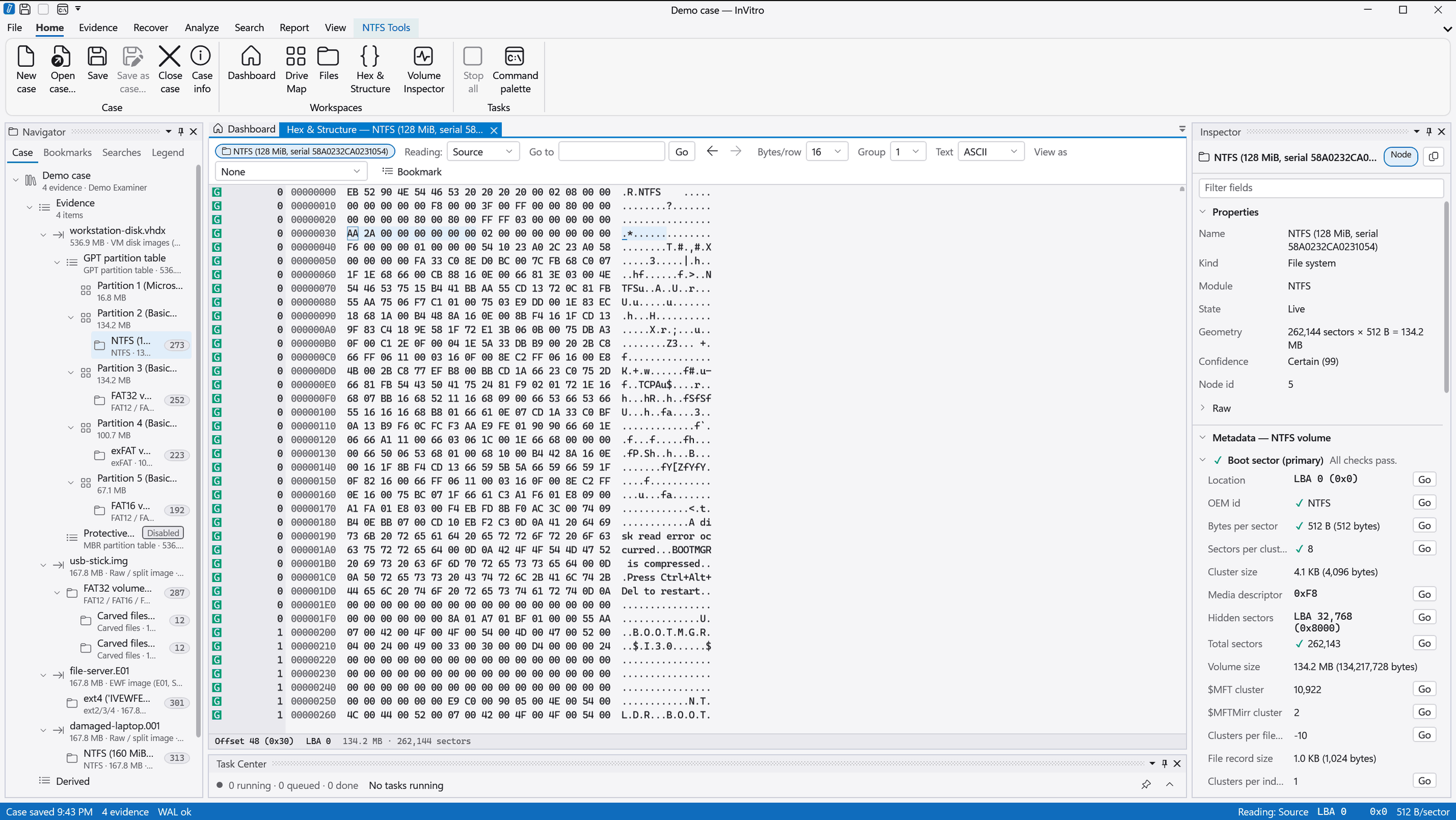
See the structures, not just the bytes
Unlock, or hand off to your cracking tool
- BitLocker: password, recovery key,
.bekfile, VMK or FVEK. - LUKS1 and LUKS2: passphrase, key file or master key; PBKDF2 and Argon2id.
- Try a list of passwords you already know (from the suspect, the case or a colleague).
- F2FS per-file encryption.
- Keys are stored in the case, so locked volumes unlock again when the case reopens.
- InVitro does not brute-force passwords. It exports hashes for Hashcat and John the Ripper (BitLocker, LUKS, ZIP) and imports a Hashcat potfile to unlock.
APFS encrypted volumes mount with their file data marked as encrypted, not shown as plain bytes.
Coming as add-on packs
- RAID assembly pack: in preparation, sold separately when it ships.
Add-on packs are announced here when they ship. Until then they are not part of any edition.
Reports that say what was read
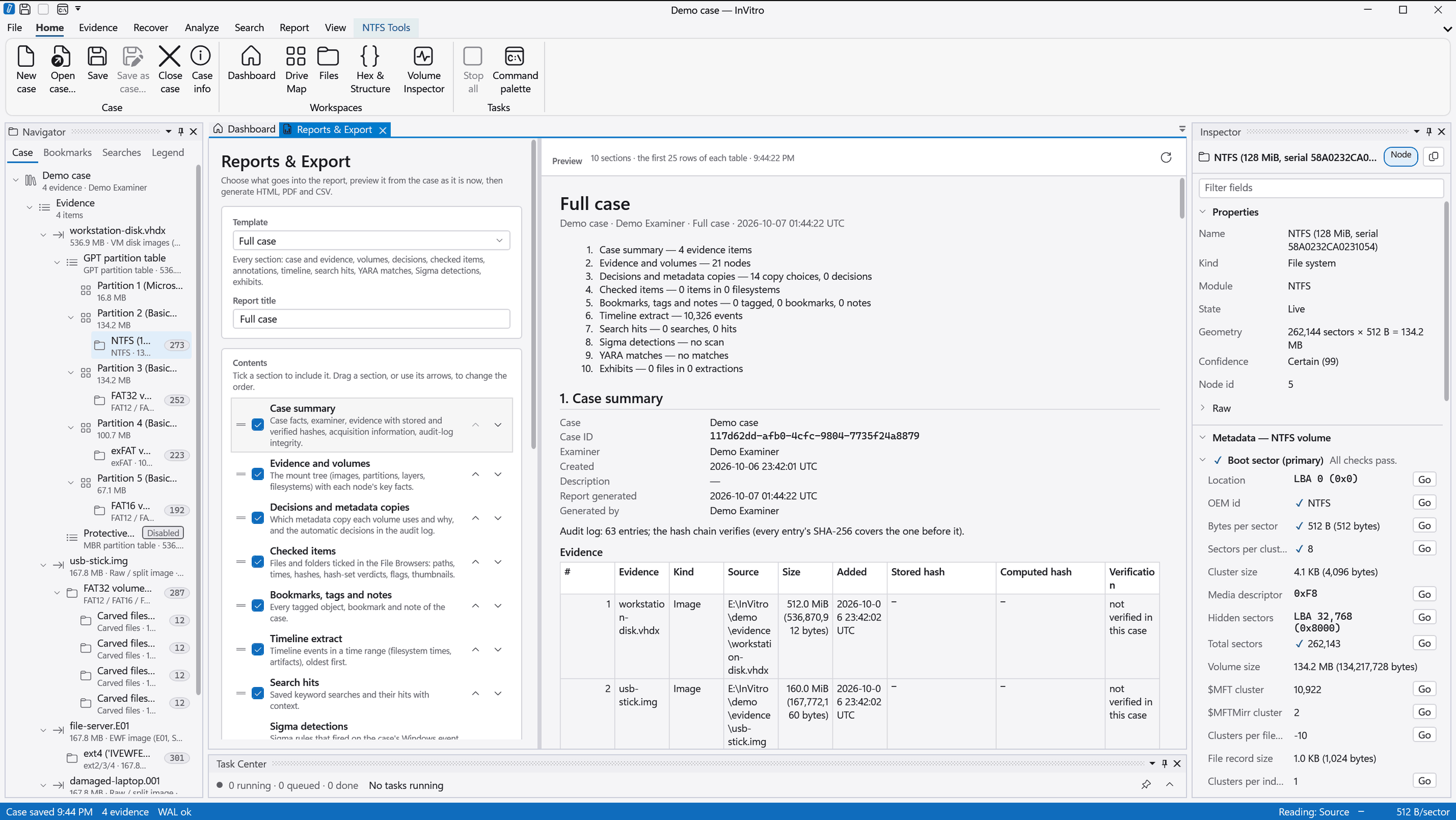
- Templates (full case, evidence summary, checked items, timeline extract) with sections you can switch on, off and reorder. Live preview.
- HTML, PDF and CSV output. Hash lists, and an export of the checked items with a manifest.
- The case summary records the examiner, the stored and verified hashes, the metadata-copy decisions and the integrity of the audit log.
- Report packages (
.ivrep) carry findings between cases. A package from other evidence is refused with the reason.
Everything that reads bytes is a module
Containers, partition schemes, decryption layers, filesystems, file types and content analysers are all modules built on one public contract. A module declares its commands, options, map legends and structure views; the shell draws its ribbon tab, options grid and Inspector sections with no extra UI code. Third-party modules load in the Complete edition.